


What Is an Online Client Gallery? A Photographer's Guide
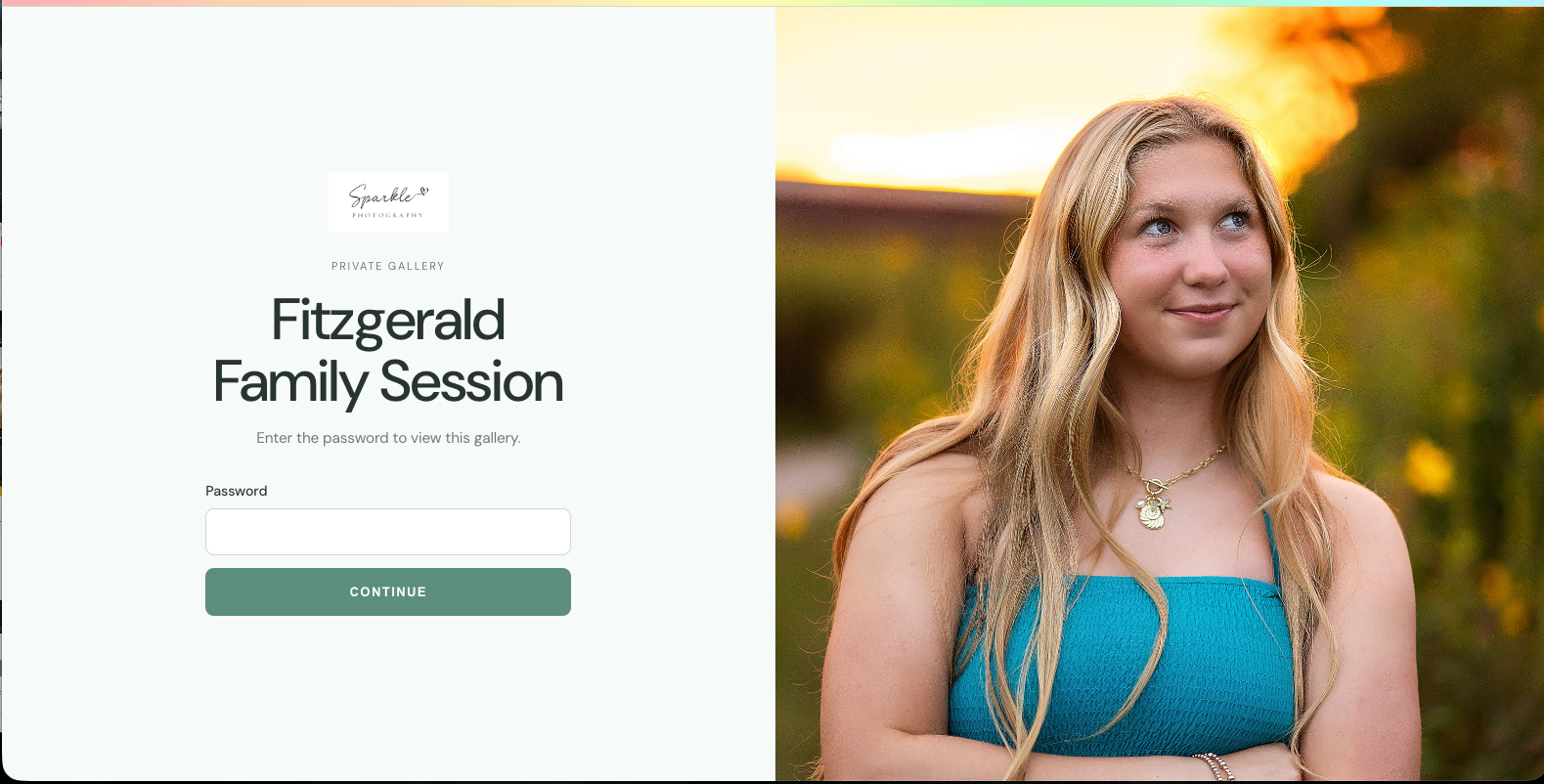
An online client gallery for photographers is a private, branded web page where you deliver finished images so clients can view, favorite, download, and share them. It replaces flash drives, email attachments, and file-sharing links with one polished home for your work.
If you have ever sent a cloud storage link and then spent a week answering "where do I find my photos?" texts, you already know why galleries matter. Delivery is the moment your client finally sees what they paid for. How that moment looks and feels shapes whether they rebook, refer a friend, or quietly move on.
This guide covers what a client photo gallery is, what a good one should include, and how Iris Works Galleries brings delivery into the same place you already manage bookings and clients.
What is an online client gallery?
An online client gallery is a secure web page, created by a photographer, that holds a client's finished images in one organized, branded space. Clients open it with a link, view their photos in a clean layout, and pick favorites or download files, depending on what the photographer allows.
Think of it as the digital version of the reveal. Instead of handing over a USB drive or a zip file, you send a link that opens to your images presented the way you intended: large, uncluttered, and in the order you chose.
Most photographers use galleries for every type of session, from headshots and family portraits to weddings, events, and brand shoots. The gallery becomes the final step of your client experience and the piece clients are most likely to share with friends.
Why does a client gallery matter for your photography business?
A client gallery matters because delivery is the part of your service clients remember and share. A polished gallery makes your work feel premium, saves you hours of back-and-forth, protects your images, and gives clients an easy way to show their photos to the next person who might book you.
Here is what that looks like in practice.
It makes your work feel premium. The same image looks different in a cramped file browser than it does on a clean, full-width page. Presentation is part of the product. When clients open a gallery that feels intentional, they experience your work at its best.
It saves you time. A dedicated gallery cuts out the follow-up emails about broken links, missing files, and "can you resend that?" Everything lives in one place, so you are not rebuilding delivery for every session.
It drives referrals. Clients share galleries. When the link they send to a friend opens to a beautiful, branded page, your business gets introduced at its best, without you saying a word.
It keeps your business organized. When galleries connect to your client records, you always know which client has which images, when they were delivered, and what still needs attention.
What should a photography client gallery include?
A strong client gallery should include a clean, distraction-free layout, easy access for clients, simple organization, room for your branding, and storage that grows with your business. It should feel effortless for the client and fit naturally into your existing workflow.
When you compare photo delivery platforms, look for these essentials:
- Easy access. Clients should be able to open their gallery without creating an account or remembering another password.
- Clean presentation. Your images should be the focus, not menus, banners, or clutter.
- Organization. Sets or sections help clients find the photos they care about, especially in larger galleries.
- Branding. Your logo and style should carry through, so the gallery feels like an extension of your business.
- Workflow fit. Creating and sending a gallery should connect to how you already book and manage clients, not add another app to log into.
- Room to grow. Storage should be included, with clear options to add more as your client list grows.
- Integrations. If you edit in Lightroom, a direct connection saves export and upload time on every session.
How do Iris Works Galleries work?
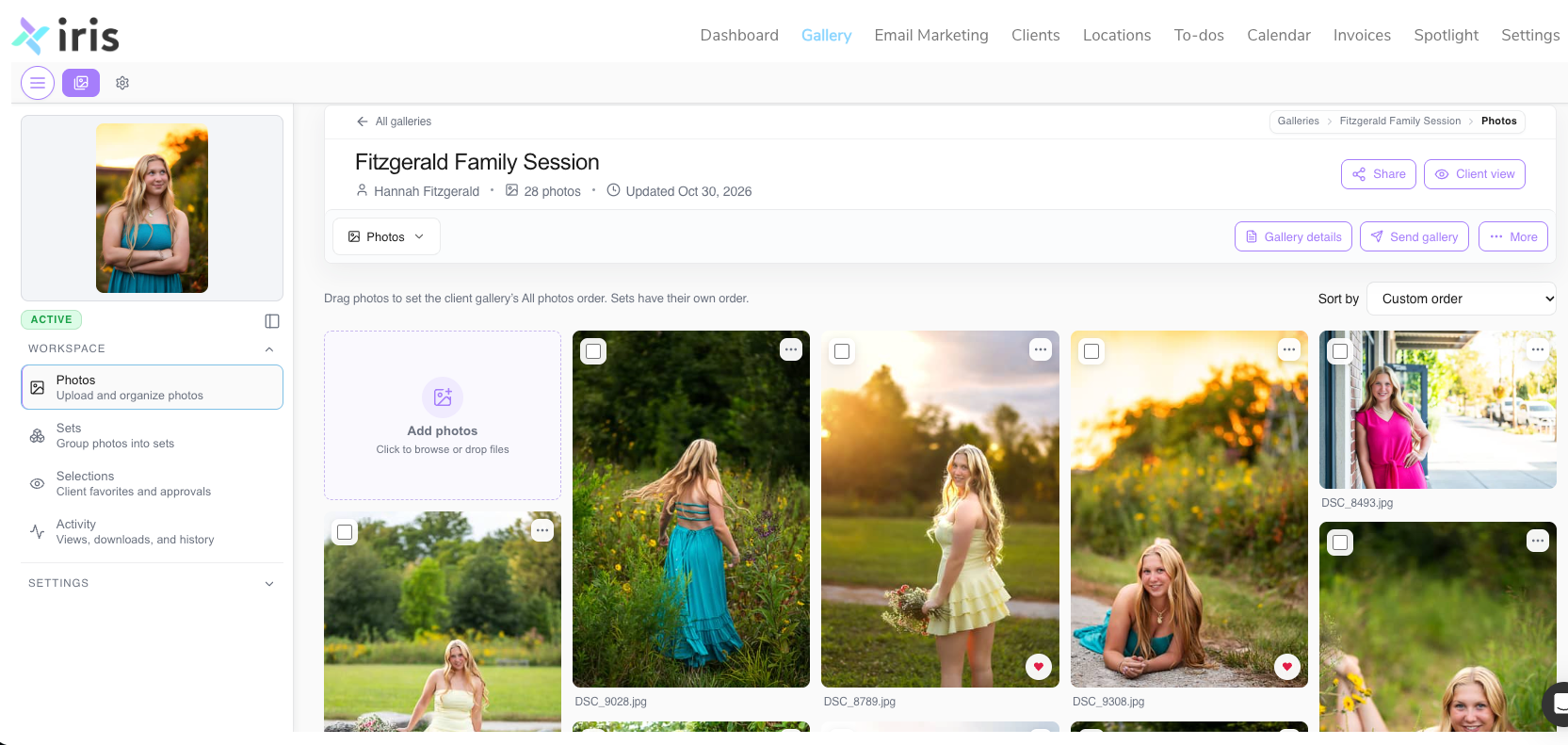
Iris Works Galleries is a client gallery tool built directly into the Iris Works studio management platform. You create galleries from your bookings, events, or client profiles, deliver them with a link clients can open without an account, and keep every gallery connected to the client it belongs to.
Because Galleries lives inside the same system as your calendar and client records, delivery stops being a separate chore. Here is how it fits into your workflow.
Create a gallery from wherever you are already working. You can start a gallery from the booking calendar, a booking invitation, a new event, a client's profile, or the Galleries page itself. Standalone galleries do not need to be tied to a session date or a client, which is handy for portfolio pieces, styled shoots, or vendor sharing.
Let bookings build galleries for you. On the booking calendar, check the box to auto-create a gallery when a client books, and choose the preset you want it to use. The gallery is waiting for you before the session even happens.
Give clients easy access. Clients do not need an account to view their gallery. If you want to know who is viewing, you can require a name and email before they enter. Otherwise, they simply click and see their photos.
Upload straight from Lightroom. The Lightroom integration connects your editing workflow to delivery, so you spend less time exporting, finding folders, and dragging files.
Start with storage included. Every Iris Works plan includes Galleries with 3 GB of storage at no extra cost. When you need more space or features, you can add them on.
Let your images lead. Iris Galleries follows a less-is-more design approach: an editorial, curated look with no clutter competing with your work.
Know what is coming next. Storefront for print sales, AI facial recognition, and video storage and delivery are on the way. They are not live yet, but they are part of where Galleries is headed.
Online client gallery vs. cloud storage or email: what's the difference?
Cloud storage and email move files. An online client gallery presents them. Galleries are built for the client experience, with your branding, a clean layout, and organization designed around photos rather than documents.
| Delivery method | Client experience | Your branding | Connected to your client records |
|---|---|---|---|
| Email attachments | Size limits, compressed files, easy to lose | None | No |
| Cloud storage link | Folder of files, often asks clients to sign in or download an app | None | No |
| Flash drive | Physical, slow, no easy sharing | Packaging only | No |
| Iris Works Galleries | One link, no account needed, clean editorial layout | Yes | Yes |
How to get started with Iris Works Galleries
Getting started takes a few minutes if you already use Iris Works, and not much longer if you are new.
- Log in to Iris Works (or start a free trial if you are new).
- Set up a gallery preset with your branding and preferred settings.
- Turn on auto-create in your booking calendar so new bookings get a gallery automatically.
- Connect Lightroom if you edit there.
- Deliver your next session through Galleries and watch how much smoother it feels.
Black Friday offer (Nov 16 to Dec 1): New users get 30% off all yearly Iris Works plans. Existing users get 30% off the yearly Galleries add-on or 15% off monthly. If you have been waiting for the right time to bring delivery into your CRM, this is it.
Frequently asked questions
Do clients need an account to view an Iris Works gallery?
No. Clients open their gallery with a link. If you want to track who views it, you can require a name and email first, but clients never have to create an account or password.
Is Galleries included in my Iris Works plan?
Yes. Every Iris Works plan includes Galleries with 3 GB of storage at no extra cost. Additional storage and features are available as add-ons when you need them.
Can I create a gallery that isn't tied to a client or session?
Yes. Standalone galleries can be created from the Galleries page without a session date or client attached. They work well for portfolio work, styled shoots, or sharing images with vendors.
Does Iris Works Galleries work with Lightroom?
Yes. The Lightroom integration lets you move edited images into your galleries without the usual export, download, and re-upload steps.
Can clients order prints from an Iris Works gallery?
Not yet. Storefront, which will support print sales, is coming soon along with AI facial recognition and video storage and delivery.
How is an online client gallery different from cloud storage?
Cloud storage is built to hold files. A client gallery is built to present photos, with a clean layout, your branding, and easy access for clients. With Iris Works, it also connects to your bookings and client records.
Ready to deliver galleries your clients will love?
Your images deserve a delivery experience as thoughtful as the session itself. With Iris Works Galleries, delivery lives right next to your bookings and clients, so every gallery is one less thing to chase. Start your free trial or add Galleries to your account today, and take advantage of Black Friday pricing through December 1.
Recent posts